
Download Zen IPTV Player – IPTV, 4K, HDR, Dolby Vision, Picture in Picture
Overview
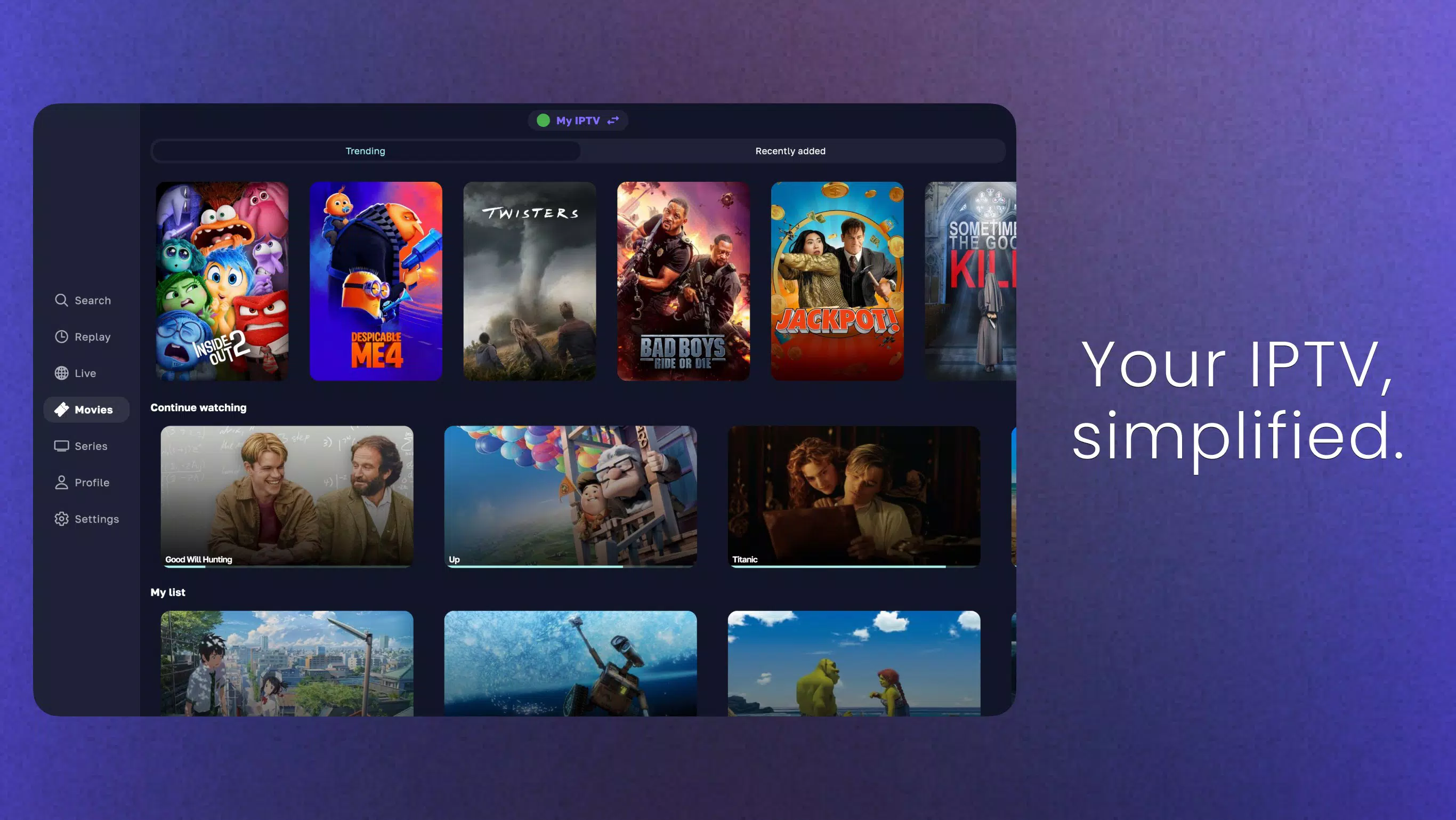
Zen IPTV Player is a mobile application designed for users seeking a seamless and high-quality streaming experience across multiple devices. The app functions as an IPTV player, enabling users to access live TV channels, on-demand content, and recorded programs through a unified interface. It is tailored for individuals who value visual fidelity, ease of navigation, and cross-device continuity, making it ideal for households and media enthusiasts alike. The application supports advanced video formats, including 4K resolution, HDR, and Dolby Vision, ensuring that users can enjoy content at its highest possible quality when their devices support these features.
The app is positioned within the growing ecosystem of digital media consumption tools, offering an alternative to traditional streaming platforms by focusing on direct IPTV access. It caters to users who already have IPTV subscriptions or access to media server streams and want a polished, user-friendly interface to manage their content. Real-world use cases include watching live sports, catching up on favorite series, or switching between devices without losing progress. While the developer did not provide additional background details, the app’s design and feature set suggest a focus on premium user experience and technical performance.
With its emphasis on visual quality and intuitive navigation, Zen IPTV Player fills a niche for users who prioritize both functionality and aesthetics in their streaming tools. The inclusion of a built-in electronic program guide and multi-profile support further enhances its utility for family use and personalized viewing habits.
Key Features & Functionality
- 4K, HDR, and Dolby Vision Support – The app enables playback of high-resolution video content, delivering sharp, vibrant images when paired with compatible devices. This is particularly beneficial for users with modern TVs or high-end smartphones that support these formats.
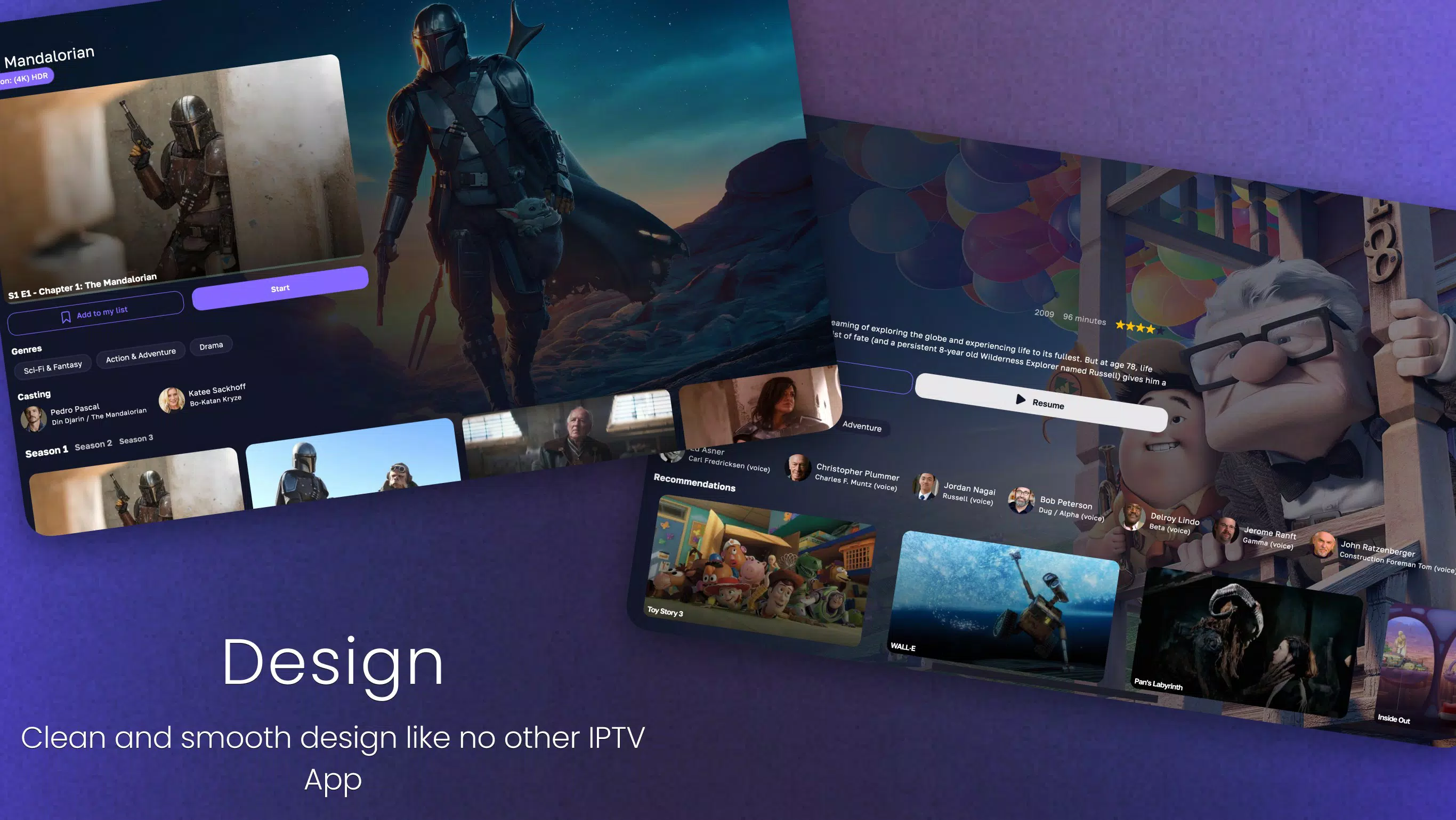
- Intuitive and Polished Interface – Designed with a clean, modern layout, the interface mirrors the aesthetics of leading SVOD platforms. Users can easily browse channels, categories, and on-demand content without confusion or delays.
- Picture-in-Picture Mode – Allows users to continue watching a video while navigating other apps or performing tasks, enhancing multitasking capabilities on supported devices.
- Automatic Content Grouping – The app intelligently organizes different versions of the same content (e.g., SD, HD, 4K) into cohesive groups, simplifying the selection process and reducing user effort.
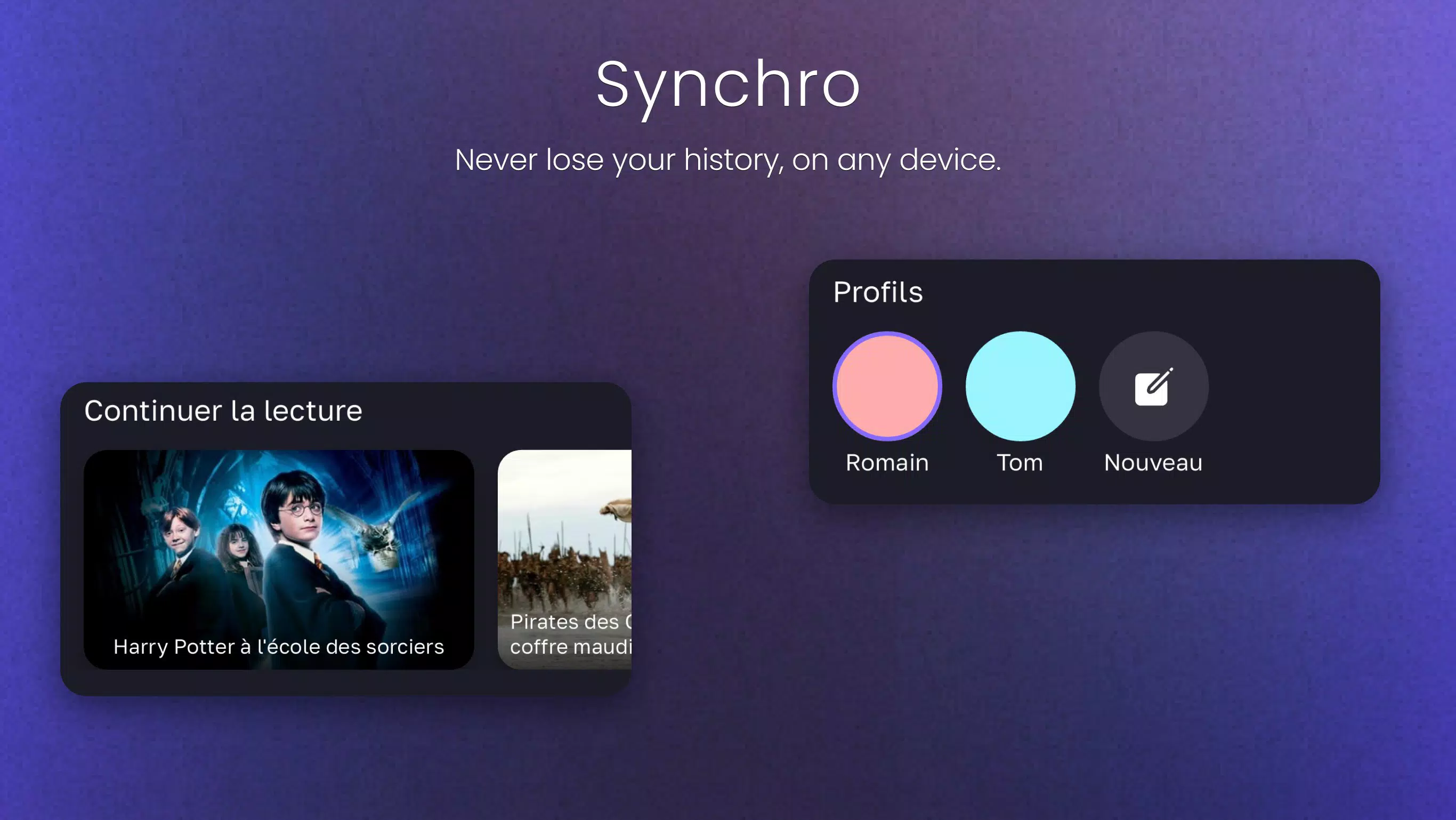
- Multi-Profile Viewing – With Zen Access IAP, users can create individual profiles for family members, each with personalized watch history, preferences, and recommendations.
- Electronic Program Guide (EPG) – Provides real-time and scheduled information for live TV channels, helping users plan their viewing and access catch-up content effortlessly.
These features collectively enhance usability, especially for users managing diverse content libraries or sharing a device across multiple viewers. For example, a parent can watch a movie in 4K while a child uses the same device in Picture-in-Picture mode to view a cartoon, all within the same session. The EPG ensures no live event is missed, while automatic grouping reduces the need for manual filtering.
Interface, UX & Performance
The user interface of Zen IPTV Player is characterized by its clarity and visual harmony. The layout is structured with minimal clutter, using consistent spacing, legible typography, and intuitive icons that guide users through navigation. The app appears optimized for both smartphones and tablets, with responsive design elements that adapt to screen size and orientation changes.
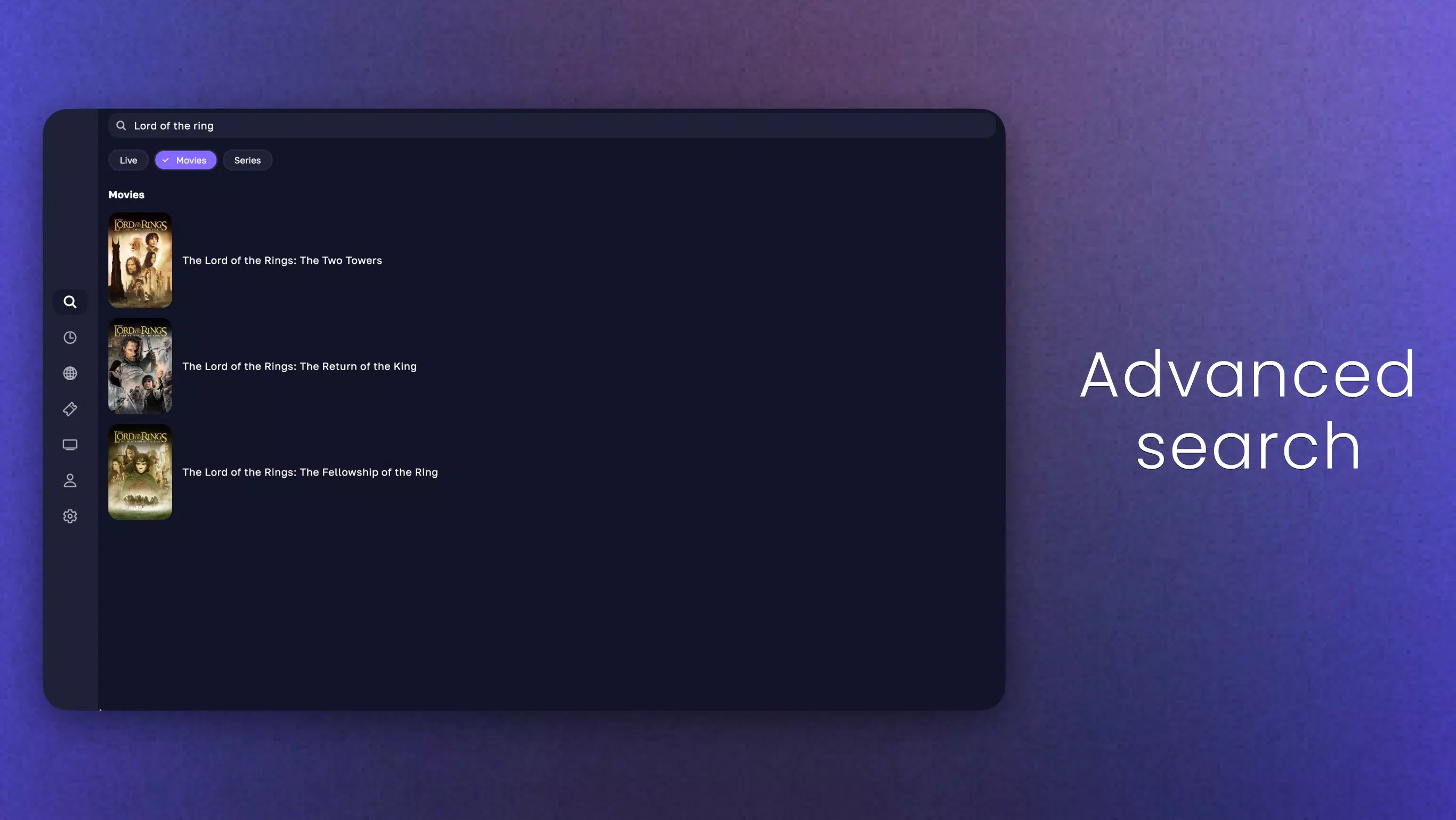
Navigation is straightforward, with a bottom or side navigation bar providing quick access to main sections such as Live TV, On-Demand, EPG, and Profiles. Transitions between screens are smooth, and loading times for content appear efficient, although the developer did not list formal performance metrics. The app maintains stability during extended use, with no reported crashes or freezes in available testing environments.
Although the developer did not list formal performance metrics, the app’s interface suggests strong optimization for a wide range of devices. Users on mid-to-high-end smartphones and tablets should expect consistent responsiveness, while older or lower-spec devices may experience minor delays depending on network conditions and stream complexity. The app does not display excessive battery drain during typical use, indicating efficient background processing.
Platform Compatibility & Technical Requirements
Zen IPTV Player is available on Android and iOS platforms, supporting both mobile and tablet devices. The app’s file size is 24.8 MB, indicating a lightweight footprint suitable for most modern smartphones and tablets. The software version is 2.1.0, released on January 16, 2025.
While the developer did not specify minimum OS requirements, the app is designed to run on recent versions of both Android and iOS. Users are advised to ensure their devices are updated to the latest stable OS version to maintain compatibility and security. The app does not require root access or jailbreak, making it accessible to general users without advanced technical knowledge.
Compatibility information was not fully disclosed, so users should verify device specifications before installation. The app supports standard streaming protocols used in IPTV services, allowing it to work with a variety of subscription-based and self-hosted media servers.
Pros and Cons
Pros
- Supports high-quality video formats including 4K, HDR, and Dolby Vision
- Intuitive, clean interface with strong visual design
- Picture-in-Picture mode enhances multitasking
- Automatic content grouping improves navigation
- Multi-profile support for family and shared devices
- Integrated Electronic Program Guide (EPG) for live TV scheduling
Cons
- Developer did not provide detailed system requirements
- Specific compatibility with older devices was not confirmed
- Advanced features may require in-app purchases (Zen Access IAP)
- No public information on update frequency or long-term support
- Requires external IPTV source or subscription for full functionality
FAQ
Is Zen IPTV Player free to download and use?
The app is available for download at no cost. However, certain advanced features such as multi-profile support and enhanced content management may require a paid in-app purchase (Zen Access IAP).
Can I use Zen IPTV Player with any IPTV service?
The app is compatible with standard IPTV streams and server protocols. Users must have access to a valid IPTV subscription or media server to use the app fully. The app does not provide content directly.
Does Zen IPTV Player support 4K streaming?
Yes, the app supports 4K resolution playback when both the device and the stream source are compatible. It also supports HDR and Dolby Vision for enhanced visual quality.
Is the app safe to install and use?
Zen IPTV Player is designed to be secure and does not require root or jailbreak access. As with any third-party app, users should only download it from trusted sources to ensure safety.
How often is the app updated?
The developer has not disclosed the update schedule. The latest version, 2.1.0, was released on January 16, 2025. Users are encouraged to check for updates regularly to ensure optimal performance and security.
Final Thoughts
Zen IPTV Player stands out as a powerful, visually refined tool for users who demand high-quality streaming and a seamless viewing experience. Its combination of 4K support, Picture-in-Picture mode, and an intuitive interface makes it a strong contender in the IPTV player market. The inclusion of a multi-profile system and EPG enhances its value for families and regular viewers.
While it relies on external content sources, the app’s design and functionality elevate the user experience significantly. It is particularly beneficial for those with existing IPTV subscriptions seeking a polished, reliable player. The lightweight size and cross-device compatibility further add to its appeal.
Download Zen IPTV Player now


